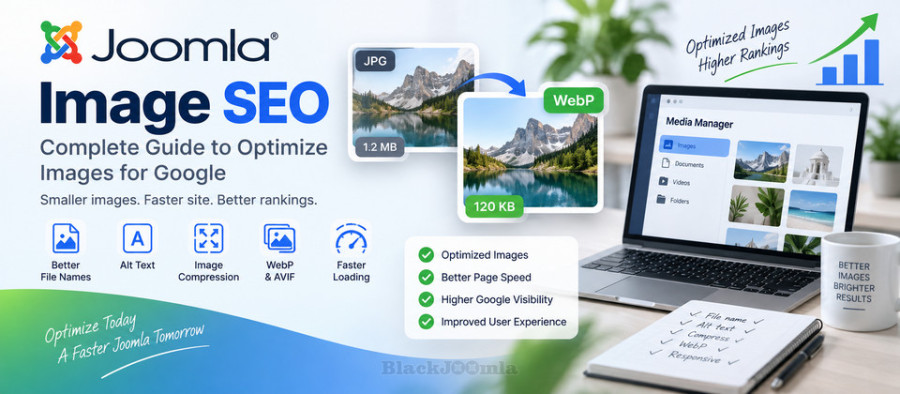
What Is Joomla Image SEO?
Joomla Image SEO is the process of optimizing images so that they are useful for visitors, accessible to different users, efficient to load, and easier for search engines to understand.
Image SEO includes several different areas:
- Image file names
- Alternative text (alt text)
- Image dimensions
- Image compression
- Modern image formats
- Responsive images
- Lazy loading
- Image accessibility
- Image URLs
- Image context
- Page performance
Image optimization should therefore not be treated as simply reducing the file size of an image.
Why Image Optimization Matters for Joomla SEO
Large and inefficient images can contribute significantly to page weight. When a Joomla page contains many large images, visitors may experience slower loading, particularly on mobile connections.
Image optimization can help you:
- Reduce page size
- Improve loading performance
- Improve mobile usability
- Reduce bandwidth consumption
- Improve accessibility
- Help search engines understand images
- Improve visibility in image search
Image optimization is also closely related to Joomla website performance and Core Web Vitals.
For a broader performance strategy, see:
How to Improve Joomla Website Speed: Complete Performance Guide
1. Use Descriptive Image File Names
The file name is one of the basic pieces of information associated with an image. Instead of uploading files with names such as IMG1234.jpg or DSC_0012.jpg, use descriptive names that accurately describe the image.
For example:
Bad:
IMG1234.jpg

Better:
joomla-seo-dashboard.jpg

Better:
joomla-image-optimization-guide.jpg
Use short and descriptive file names. Separate words with hyphens and avoid unnecessary numbers or meaningless characters.
Good Image Filename Practices
- Describe the actual image
- Use lowercase letters where practical
- Use hyphens between words
- Avoid unnecessary numbers
- Avoid keyword stuffing
- Keep the name reasonably short
2. Optimize Image Alt Text
Alt text, or alternative text, provides a textual description of an image. It is particularly important for accessibility because screen readers can use it to communicate the purpose or content of an image to users who cannot see it.
Alt text should describe the image when the image conveys meaningful information.
For example:
Good:
Joomla SEO settings page showing metadata configuration

Weak:
Joomla SEO

Poor:
joomla seo joomla seo extension seo optimization best seo
The objective is to describe the image naturally rather than insert as many keywords as possible.
Decorative Images
If an image is purely decorative and does not provide meaningful information, it may not need descriptive alt text. The exact implementation depends on how the image is used in your template and HTML.
Do not use the alt attribute as a place to insert a list of SEO keywords.
3. Choose the Correct Image Dimensions
Uploading a very large image and displaying it at a much smaller size can waste bandwidth.
For example, if a content area displays an image at approximately 800 pixels wide, uploading a 4000-pixel-wide image may be unnecessary unless there is a specific reason to provide a high-resolution version.
Before uploading an image, consider:
- The maximum display width
- The device types used by visitors
- The required visual quality
- The image's role on the page
Correct dimensions can reduce unnecessary image data and improve performance.
4. Compress Joomla Images
Image compression reduces the amount of data required to deliver an image.
There are two broad approaches:
- Lossless compression: Reduces file size while preserving the original image information as much as possible.
- Lossy compression: Reduces file size more aggressively by removing some image information.
The appropriate compression level depends on the image type and its purpose.
Photographs generally tolerate compression differently from logos, screenshots, icons, and illustrations.
5. Use Modern Image Formats
Modern formats such as WebP and AVIF can provide smaller files than traditional formats in many situations while maintaining good visual quality.
Common image formats include:
| Format | Typical Use |
|---|---|
| JPEG | Photographs and complex images |
| PNG | Transparency, screenshots, graphics |
| WebP | General-purpose modern web images |
| AVIF | Modern high-efficiency image delivery |
| SVG | Logos, icons, and scalable vector graphics |
When using modern formats, always test browser compatibility, image quality, caching, and the way your Joomla template delivers the files.
6. Use Responsive Images
Visitors may access your Joomla website using phones, tablets, laptops, and large desktop monitors. Serving exactly the same large image to every device can waste bandwidth.
Responsive image techniques allow browsers to select an appropriate image resource for the available display size.
A responsive implementation may use HTML attributes such as:
srcset
sizes
The exact implementation depends on your Joomla template, editor, extension, and image delivery system.
7. Enable Lazy Loading Where Appropriate
Lazy loading allows certain images to be loaded when they become relevant to the visitor rather than loading every image immediately when the page starts.
This can be particularly useful on pages containing many images, such as:
- Long Joomla articles
- Image galleries
- K2 category pages
- Product catalogs
- Portfolio pages
- Documentation pages
However, lazy loading should be implemented carefully. Important images that are visible immediately when the page loads may require different treatment from images far below the initial viewport.
8. Optimize Images Above the Fold
The largest visible image near the top of a page can have a significant effect on perceived loading performance.
For example, a large hero image may become the main visual element of an article. Compressing it, using an appropriate format, and delivering an appropriately sized resource can improve the loading experience.
Do not automatically lazy-load every image on the page. Consider where each image appears and how important it is to the initial page view.
9. Add Images in the Correct Context
Search engines can use surrounding content to better understand what an image represents.
For example, an image showing a Joomla sitemap interface is more useful when it appears inside an article discussing Joomla XML sitemaps than when it appears on an unrelated page.
Relevant context can include:
- The page title
- Headings
- Paragraph text
- Image filename
- Alt text
- Captions
- Links surrounding the image
Use images where they genuinely support the subject of the page.
10. Use Captions When They Add Information
Image captions can provide additional information about an image and help visitors understand what they are seeing.
A caption is particularly useful for:
- Screenshots
- Charts
- Diagrams
- Product images
- Step-by-step tutorials
- Technical illustrations
Do not add a caption simply because you want to repeat keywords. The caption should provide useful information to the reader.
11. Joomla Image SEO and K2
If your website uses K2, image optimization should be considered at both the item and category levels.
K2 websites may contain images in:
- K2 Items
- K2 Category views
- Item pages
- Featured content
- Related items
- Category listings
Check how your K2 template renders images and whether it provides appropriate dimensions, alt attributes, responsive image behavior, and lazy loading.
Do not assume that an image is fully optimized simply because the K2 Item itself is optimized for SEO.
12. Optimize K2 Images Before Uploading
For K2 websites, it is often better to optimize an image before uploading it rather than relying entirely on the server to process an unnecessarily large original file.
A practical workflow is:
- Choose the appropriate image.
- Crop it to the required composition.
- Resize it to a reasonable maximum dimension.
- Compress it.
- Choose an appropriate format.
- Use a descriptive filename.
- Add useful alt text where applicable.
- Insert the image into the K2 Item.
- Check the final rendered page.
13. Do Not Use Keyword Stuffing in Image SEO
Adding the same keyword repeatedly to filenames, alt text, captions, and surrounding content does not create a better image optimization strategy.
For example, avoid an alt attribute such as:
joomla seo joomla image seo joomla optimization
best joomla seo image optimization
Instead, describe what the image actually shows.
Image SEO should prioritize accuracy, accessibility, relevance, and performance.
14. Image URLs and Joomla SEF URLs
Joomla websites often use SEF URLs for their content pages, but image URLs are handled differently depending on the template, media manager, extension, and server configuration.
The important principle is to maintain stable and accessible image URLs and avoid unnecessary changes.
If you are working on your Joomla URL structure, see:
How to Configure SEF URLs in Joomla: Complete Guide
15. Avoid Broken Image URLs
A broken image provides no value to visitors and can create an incomplete page experience.
After moving, renaming, or deleting images, check important pages to make sure their image resources still load correctly.
This is especially important after:
- Joomla migrations
- Template changes
- K2 migrations
- Media directory changes
- HTTPS migrations
- Domain changes
- CDN configuration changes
16. Image SEO and Page Speed
Images can account for a significant portion of the total transferred data on a web page. As a result, image optimization should be part of your broader Joomla performance strategy.
Important areas include:
- Image dimensions
- Compression
- Image format
- Responsive delivery
- Lazy loading
- Browser caching
- CDN delivery
- Server response time
If you want to improve the complete performance of your Joomla website, see:
How to Improve Joomla Website Speed: Complete Performance Guide
17. Use a CDN for Large Image Libraries
Websites with large image libraries may benefit from using a Content Delivery Network (CDN).
A CDN can distribute static resources through geographically distributed servers and may reduce the distance between visitors and the server delivering the image.
However, a CDN does not replace image optimization. Sending a poorly compressed 5 MB image through a CDN is still inefficient.
18. Image SEO and Google Images
Optimized images can also improve the overall discoverability of visual content.
Search engines can use multiple signals to understand an image, including the surrounding page content, image attributes, filenames, and other contextual information.
For this reason, an image should not be treated as an isolated SEO asset. The page containing the image should also provide useful, relevant content.
19. Create Useful Image Sitemaps When Appropriate
For websites with large visual libraries, image discovery can be part of a broader sitemap strategy.
However, most Joomla websites should first focus on creating a clean XML sitemap containing their important canonical pages.
Learn more about Joomla XML sitemaps:
How to Create an XML Sitemap in Joomla: Complete Guide
20. Common Joomla Image SEO Mistakes
Using Huge Images
Uploading images that are significantly larger than their displayed dimensions wastes bandwidth.
Ignoring Alt Text
Important informative images should have appropriate alternative text when applicable.
Using Generic Filenames
Names such as image1.jpg provide little descriptive context.
Using the Wrong Format
Choosing an inefficient format can unnecessarily increase file size.
Loading Every Image Immediately
Pages with many images may benefit from appropriate lazy-loading and responsive delivery techniques.
Overusing Keywords
Image filenames and alt text should describe the image rather than becoming lists of SEO keywords.
Forgetting Mobile Users
Large desktop-oriented images can create unnecessary data usage and slower loading on mobile devices.
Joomla Image SEO Checklist
- Use descriptive image filenames.
- Use hyphens to separate words in filenames.
- Write useful alt text for informative images.
- Do not keyword-stuff alt attributes.
- Resize images before uploading them when appropriate.
- Compress images while maintaining acceptable quality.
- Consider WebP or AVIF where appropriate.
- Use responsive images when supported by your implementation.
- Use lazy loading appropriately.
- Pay special attention to large images above the fold.
- Check image URLs after Joomla or K2 migrations.
- Fix broken image resources.
- Use images in relevant content contexts.
- Optimize K2 images as well as Joomla Article images.
- Review image performance on mobile devices.
- Monitor overall page performance and Core Web Vitals.
Frequently Asked Questions
Does Joomla automatically optimize images?
Joomla provides image management capabilities, but complete image optimization depends on your Joomla version, template, editor, extensions, server configuration, and image workflow. Do not assume that every uploaded image is automatically optimized for the web.
Should I use WebP images in Joomla?
WebP can be a useful modern image format and can provide smaller files in many situations. Test your Joomla template, browser support, caching, and image delivery workflow before changing a large existing image library.
Is alt text important for Joomla SEO?
Alt text is primarily an accessibility feature, but it also provides useful contextual information about images. Write accurate descriptions for informative images rather than using alt text as a keyword list.
Should every Joomla image have alt text?
Not every image requires a descriptive alt attribute. Decorative images may be handled differently from images that communicate meaningful information. The appropriate implementation depends on the role of the image.
Is image compression important for Joomla websites?
Yes. Images can contribute substantially to page weight, especially on image-heavy websites. Appropriate compression can reduce transferred data while maintaining acceptable visual quality.
Does image optimization guarantee better Google rankings?
No. Image optimization can improve performance, accessibility, and the discoverability of visual content, but it does not guarantee higher rankings.
Final Thoughts
Joomla Image SEO is a combination of technical optimization, accessibility, performance, and useful content context. Start with the fundamentals: descriptive filenames, appropriate alt text, correct dimensions, compression, modern formats, and responsive delivery.
If your website uses K2, apply the same principles to K2 Items, category layouts, featured content, and other image-heavy sections. Review your images whenever you publish new content, migrate your website, change templates, or restructure your media library.
When image optimization is combined with a strong internal linking structure, clean SEF URLs, XML sitemaps, good technical SEO, and fast page delivery, your Joomla website can provide a better experience for both visitors and search engines.