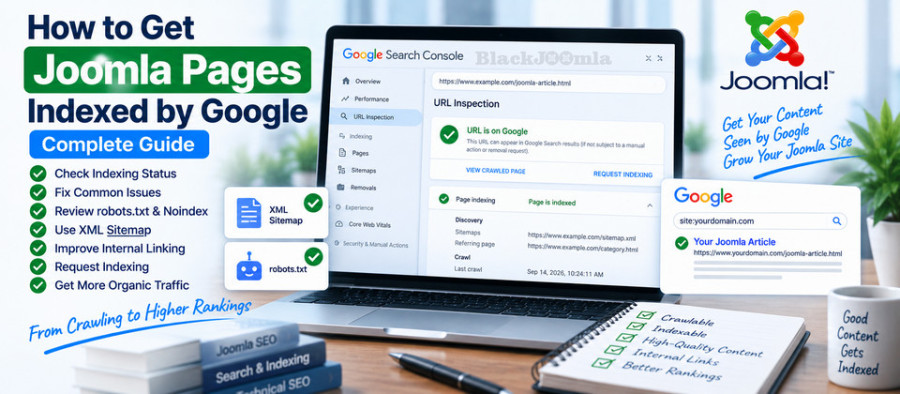
What Does Google Indexing Mean?
When Google discovers a URL, it may crawl the page, analyze its content and technical signals, and decide whether to include the URL in its search index.
These are different stages:
- Discovery: Google learns that a URL exists.
- Crawling: Googlebot requests and reads the URL.
- Processing: Google analyzes the page, content, links, and technical signals.
- Indexing: Google decides whether and how the page should be represented in its search index.
- Ranking: An indexed page may then be considered for relevant search queries.
Therefore, submitting a URL to Google does not guarantee that it will be indexed or appear prominently in search results.
Crawling vs. Indexing
One of the most important concepts in technical SEO is the difference between crawling and indexing.
| Concept | Meaning |
|---|---|
| Discovery | Google discovers that a URL exists. |
| Crawling | Googlebot accesses the URL. |
| Indexing | Google evaluates and may store the page in its search index. |
| Ranking | Google determines where an indexed page may appear for a query. |
A Joomla page can therefore be crawlable but not indexed.
It can also be indexed without necessarily ranking well for the search queries you care about.
How to Check Whether a Joomla Page Is Indexed
The most reliable starting point is Google Search Console.
Use the URL Inspection tool and enter the exact Joomla URL you want to investigate.
The inspection can provide information about Google's current understanding of the URL, including indexing and canonicalization information.
Check the Exact URL
Do not inspect only the homepage when investigating a problem with an article or product page.
Inspect the actual URL:
https://example.com/my-joomla-article.html
This is particularly important when a website contains thousands of Joomla URLs.
Why Is My Joomla Page Not Indexed by Google?
There are many possible reasons.
The most common technical causes include:
- The page has a
noindexdirective. - The URL is blocked by robots.txt.
- The page returns an HTTP error.
- The page redirects to another URL.
- Google selected another canonical URL.
- The page is difficult to discover through internal links.
- The XML sitemap does not contain the URL.
- The website has crawling problems.
- The page is inaccessible to Googlebot.
- The content provides insufficient value or is substantially duplicative.
- The website has recently migrated or changed URLs.
Do not assume that every indexing problem is caused by robots.txt. Indexing is influenced by multiple technical and content signals.
1. Check Joomla's robots.txt
The first technical check should be your live robots.txt file.
Open:
https://yourdomain.com/robots.txt
Look for rules that may block the path containing your page.
For example:
User-agent: *
Disallow: /blog/
This would prevent compliant crawlers from crawling URLs under the /blog/ path.
If you want a more detailed explanation, read our guide on how to configure robots.txt in Joomla.
2. Check for a Noindex Directive
A noindex directive tells search engines not to include a page in their search index.
Check the rendered HTML and page headers for indexing directives.
For example:
<meta name="robots" content="noindex">
If an important Joomla article contains noindex, investigate why before requesting indexing.
This is especially important after:
- Website migrations
- Template changes
- SEO extension installations
- Development work
- Staging-to-production deployments
3. Check Joomla's Search Engine Visibility Settings
Review your Joomla configuration and confirm that your production website is not intentionally configured to discourage search engine indexing.
Development and staging websites are sometimes configured differently from production websites.
After moving a website from development to production, verify that temporary indexing restrictions have been removed.
Google's documentation specifically warns that temporary noindex or robots.txt blocks used during migrations or development can prevent new pages from being indexed if they are not removed. :contentReference[oaicite:0]{index=0}
4. Check the Canonical URL
A canonical URL tells search engines which URL you consider to be the preferred version among duplicate or substantially similar URLs.
For example, your Joomla website might accidentally produce multiple URLs for similar content:
https://example.com/article
https://example.com/article?item=123
https://example.com/index.php/article
If Google selects a different canonical URL from the one you expect, the inspected URL may not appear in search results as a separate indexed page.
Use Google Search Console's URL Inspection tool to determine which canonical Google selected.
Google explains that even when you specify a canonical URL, Google may choose a different canonical based on various signals. :contentReference[oaicite:1]{index=1}
For more information, see our guide on fixing duplicate content in Joomla.
5. Check the HTTP Status Code
An important Joomla page should normally return a successful HTTP response.
A page returning:
- 200: normally indicates a successful response.
- 301: permanently redirects to another URL.
- 302: temporary redirect.
- 404: page not found.
- 410: content permanently gone.
- 5xx: server-side error.
If your article unexpectedly returns a 404, Google cannot treat it as a normal accessible article page.
See our guide on fixing 404 errors in Joomla for more information.
6. Check Redirects
If the URL redirects to another page, Google may index the destination URL rather than the original URL.
Check for:
- Unexpected 301 redirects
- 302 redirects
- Redirect chains
- Redirect loops
- Redirects to irrelevant pages
For Joomla URL changes, use redirects deliberately rather than redirecting every old URL to the homepage.
Learn more in our guide to creating 301 redirects in Joomla.
7. Add Important Pages to Your XML Sitemap
An XML sitemap provides search engines with a list of URLs that you want them to discover.
Your sitemap should contain important, canonical URLs that are intended to be accessible and indexable.
A typical sitemap URL might be:
https://example.com/sitemap.xml
Make sure that your sitemap does not contain large numbers of:
- 404 URLs
- Redirect URLs
- Noindex pages
- Duplicate URLs
- Non-canonical URLs
For a complete Joomla sitemap guide, see How to Create an XML Sitemap in Joomla.
8. Submit Your Sitemap in Google Search Console
After creating your sitemap, submit it through the Sitemaps section of Google Search Console.
This gives Google a structured list of URLs that you want it to discover.
A sitemap does not guarantee indexing, but it can help Google discover URLs more efficiently.
Google currently recommends submitting a sitemap to help keep Google informed about site URLs and future changes. :contentReference[oaicite:2]{index=2}
9. Improve Internal Linking
Important Joomla pages should not exist as isolated URLs.
Create meaningful internal links from relevant pages to important content.
For example:
Joomla SEO Guide
        ↓
Joomla Sitemap
        ↓
Specific SEO Article
Internal links help users navigate your website and provide additional paths through which crawlers can discover content.
For BlackJoomla, this is particularly important because your website contains many extensions and technical articles.
Each important article should ideally be connected to other relevant articles within the same topical cluster.
10. Use Descriptive Internal Anchor Text
Instead of repeatedly using generic anchors such as:
Click here
Read more
Learn more
use descriptive anchor text when appropriate.
For example:
How to configure SEF URLs in Joomla
Descriptive internal links make the relationship between pages clearer to users and search engines.
11. Check Joomla SEF URLs
Unstable or unnecessarily complicated URLs can make website management more difficult.
Use clean and consistent Joomla SEF URLs and avoid changing article aliases unnecessarily.
If an existing URL must change, configure an appropriate redirect from the old URL to the new one.
See our guide on configuring SEF URLs in Joomla.
12. Check Page Accessibility
Googlebot must be able to access the page.
Check whether the URL requires:
- Login credentials
- Special cookies
- Restricted network access
- IP allowlisting
- Other authentication mechanisms
Public pages intended for Google Search should normally be accessible without authentication.
Google's structured-data documentation similarly recommends checking that pages are accessible to Google and are not blocked by robots.txt, noindex, or login requirements. :contentReference[oaicite:3]{index=3}
13. Check Your Joomla Page Content
Technical accessibility is necessary, but it does not automatically mean Google will index every page.
Review the actual content.
Ask:
- Does the page provide useful information?
- Does it have a clear search intent?
- Is the content substantially different from other pages?
- Does the page answer the user's question?
- Does the page contain unnecessary duplicated text?
- Is the page maintained and accurate?
A website with thousands of automatically generated pages should not assume that every URL deserves to be indexed simply because it exists.
14. Avoid Duplicate Joomla URLs
Joomla websites can sometimes expose similar content through different menu structures, aliases, parameters, or URL variations.
When multiple URLs represent substantially the same content, review:
- Canonical URLs
- SEF configuration
- Menu items
- Internal links
- Redirects
- URL parameters
Google's current documentation recommends using canonicalization signals consistently and checking Google's selected canonical when troubleshooting indexing issues. :contentReference[oaicite:4]{index=4}
15. Check Your Joomla Template
A template can affect important SEO elements such as:
- Page titles
- Canonical tags
- Meta robots directives
- Structured data
- Internal navigation
- HTML structure
After installing or changing a template, inspect representative Joomla pages and make sure important SEO elements are still present and correct.
16. Check Your SEO Extensions
SEO extensions can simplify technical SEO management, but multiple extensions can also create conflicting configurations.
For example, several extensions might attempt to manage:
- Canonical URLs
- Metadata
- Redirects
- Structured data
- Sitemaps
- SEF URLs
Review which extension is responsible for each function.
Installing several extensions that perform exactly the same task can make troubleshooting indexing problems more difficult.
See our comparison of the best Joomla SEO extensions for different SEO requirements.
17. Check Your Page Speed and Server Availability
Google needs to be able to retrieve your pages reliably.
Repeated server errors, very slow responses, timeouts, or insufficient server resources can interfere with crawling.
Check your server logs for Googlebot requests and HTTP errors.
For performance optimization, see our guide on improving Joomla website speed.
18. Do Not Block Important Pages with robots.txt and Noindex
Using multiple indexing restrictions at the same time can make troubleshooting more complicated.
For example, suppose an important article has:
robots.txt:
Disallow: /blog/article.html
and the page also contains:
<meta name="robots" content="noindex">
The intended indexing behavior becomes difficult to diagnose because Google may not be able to crawl the page and inspect its content.
Use each technical control for its intended purpose.
19. Request Indexing After Fixing the Problem
After fixing a technical problem, you can use Google's URL Inspection tool and request indexing for important URLs when the option is available.
Do this after fixing the underlying problem.
Requesting indexing repeatedly without fixing robots.txt, noindex, canonical, HTTP status, or content issues is unlikely to solve the underlying problem.
Google notes that after publishing or changing a page, crawling and re-indexing can take time and may take several days. :contentReference[oaicite:5]{index=5}
20. Be Patient After Publishing New Joomla Articles
A newly published Joomla article does not necessarily appear in Google immediately.
Google must discover the URL, crawl it, process the content, and decide whether to include it in the index.
For a new article, make sure that:
- The page is publicly accessible.
- The page returns a successful HTTP response.
- The page is not noindexed.
- The URL is not blocked by robots.txt.
- The canonical URL is correct.
- The page is included in the sitemap when appropriate.
- The page has relevant internal links.
- The content provides a clear purpose.
Then allow Google time to process the page.
Joomla Indexing Troubleshooting Workflow
When an important Joomla page is not indexed, follow this sequence instead of randomly changing SEO settings.
- Open the exact URL in a browser.
- Check the HTTP status code.
- Inspect the URL in Google Search Console.
- Check robots.txt.
- Check the meta robots directive.
- Check the canonical URL.
- Check redirects.
- Check the XML sitemap.
- Check internal links.
- Review the page content.
- Fix the underlying problem.
- Request indexing if appropriate.
- Wait for Google to recrawl and process the page.
Joomla Indexing Checklist
- Google Search Console is configured.
- The exact URL has been inspected.
- The page returns the expected HTTP status.
- The URL is accessible to Googlebot.
- robots.txt does not block the page.
- The page does not contain an unintended noindex directive.
- The canonical URL is correct.
- The page is included in the XML sitemap when appropriate.
- Relevant internal links point to the page.
- The URL does not unnecessarily redirect.
- The page contains useful, original content.
- The Joomla template does not introduce unwanted SEO directives.
- SEO extensions do not conflict.
- The server is stable and available.
- Enough time has passed for Google to recrawl the page.
Frequently Asked Questions
How long does Google take to index a Joomla page?
There is no fixed indexing time. Google may discover and process a new page quickly, while other pages can take longer. Google recommends allowing time for crawling and re-indexing rather than expecting an immediate result.
Does submitting a Joomla sitemap guarantee indexing?
No. A sitemap helps Google discover URLs, but submitting a URL does not guarantee that Google will index it.
Why is my Joomla page crawled but not indexed?
Crawling and indexing are separate processes. Google may crawl a page but decide not to include it in the index. Check content quality, duplication, canonicalization, technical signals, and Search Console's indexing information.
Does robots.txt prevent indexing?
Robots.txt primarily controls crawling. Blocking a URL does not function as a reliable noindex mechanism. If indexing must be prevented, use an appropriate indexing control.
Should every Joomla page be indexed?
No. Not every URL needs to appear in search results. Focus on important pages that provide useful content and represent meaningful search intent.
Can a Joomla SEO extension guarantee Google indexing?
No. SEO extensions can help manage technical signals such as metadata, canonical URLs, redirects, structured data, or sitemaps, but no extension can guarantee that Google will index a page.
Final Thoughts
Getting Joomla pages indexed by Google is not about pressing a single “Submit” button. It requires a technically accessible website, correct indexing directives, stable URLs, useful content, clear internal linking, accurate canonicalization, and a reliable XML sitemap.
When a Joomla page is not indexed, start with Google Search Console URL Inspection and then work through the technical checklist systematically. Check robots.txt, noindex, canonical URLs, HTTP status codes, redirects, sitemaps, internal links, and content before requesting indexing again.
For the next steps, explore our guides on Joomla robots.txt, XML sitemaps, duplicate content, and Schema markup.