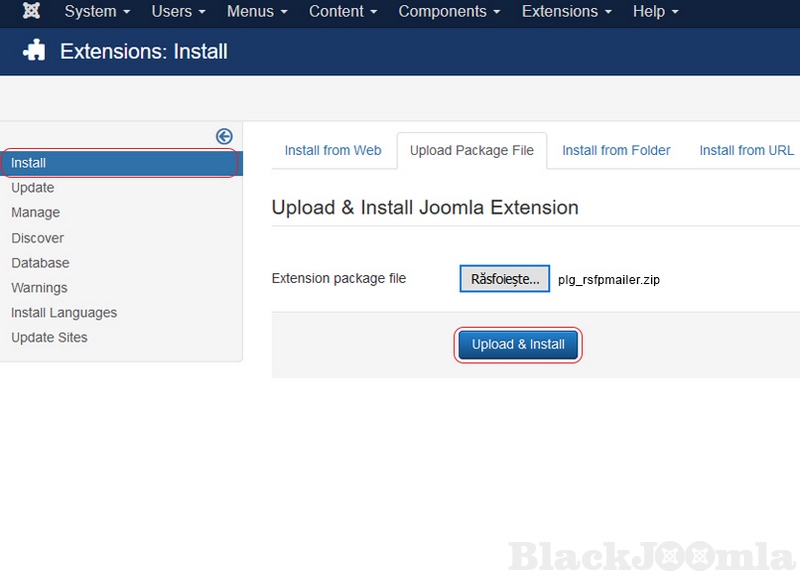
Besides this functionality, the RSForm!Pro Mailer Plugin will help you to prevent spoofing by adding a digital signature to outgoing message headers using the DKIM standard.
DomainKeys Identified Mail (DKIM) is an email authentication method designed to detect email spoofing by providing a mechanism to allow receiving mail exchangers to check that incoming mail from a domain is authorized by that domain's administrators.
In technical terms, DKIM is a technique to authorize a domain to associate its name to an email message through cryptographic authentication.
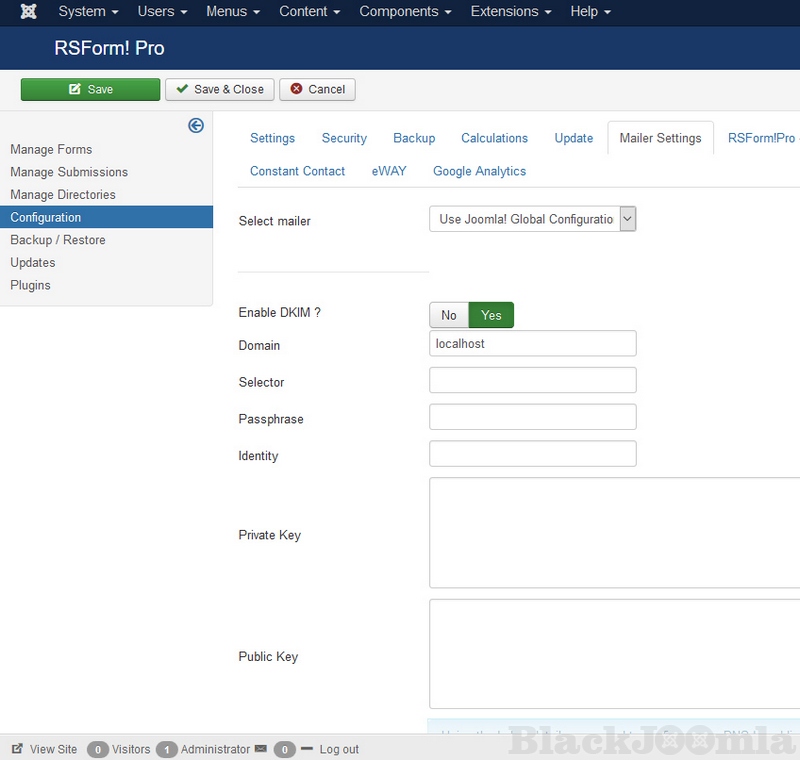
The RSForm!Pro Mailer plugin configuration can be done from Components > RSForm!Pro > Configuration > Mailer Settings tab.
Within this tab are available the following options:
- Select mailer:
- Enable DKIM?: No/Yes - enable or disable DKIM signing
- Domain: this field should contain your domain;
- Selector: to support multiple concurrent public keys per signing domain, the key namespace is subdivided using "selectors". For example, selectors might indicate the names of office locations (e.g., "sanfrancisco", "coolumbeach", and "reykjavik"), the signing date (e.g., "january2005", "february2005", etc.), or even the individual user.
- Passphrase: used to encrypt the private key
- Identity: this can be in the format of an email address, typically used as the source of the email
- Private Key: your private key must be inserted here. You can generate one from here: dkimcore.org
- Public Key: your public key must be inserted here. You can generate one from here: dkimcore.org
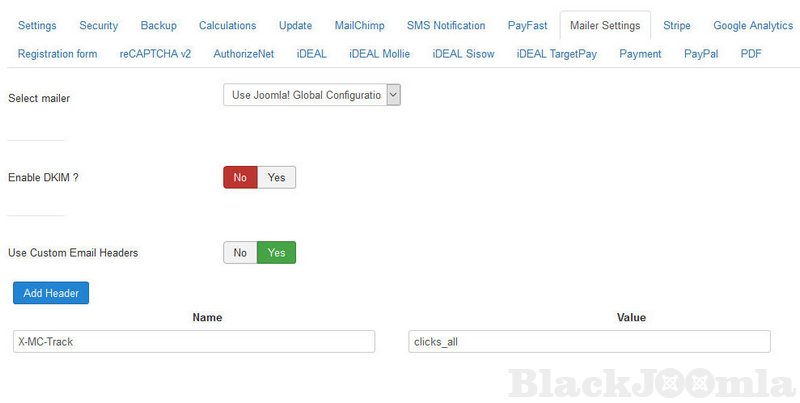
Within this tab are available the following options:
- Select mailer:
- Enable DKIM?: No/Yes - enable or disable DKIM signing
- Domain: this field should contain your domain;
- Selector: to support multiple concurrent public keys per signing domain, the key namespace is subdivided using "selectors". For example, selectors might indicate the names of office locations (e.g., "sanfrancisco", "coolumbeach", and "reykjavik"), the signing date (e.g., "january2005", "february2005", etc.), or even the individual user.
- Passphrase: used to encrypt the private key
- Identity: this can be in the format of an email address, typically used as the source of the email
- Private Key: your private key must be inserted here. You can generate one from here: dkimcore.org
- Public Key: your public key must be inserted here. You can generate one from here: dkimcore.org
- Use Custom Email Headers No/Yes - Enabling this option will allow you add custom headers to the emails sent by RSForm!Pro. In order to add a new email header, you will have to enable this option, click on the "Add new" button and afterwards complete the header "Name" and "Value".
Note:
You cannot use field placeholders when configuring Custom Email Headers, the values needs to be added manually in the "Name" and "Value" fields.
Download
Login to Download
Registration at BlackJoomla is completely free. However, an active membership or an individual file purchase is required to download premium files. Please visit our FAQ for more information.
Note: If you see the warning "The security token did not match." after logging in, simply refresh the page and sign in again.
Get started with 12 free downloads every month!
See our Membership Plans for more details.
Message
Before send message Please study FAQ
All of files compressed by WinRAR - use from Latest WinRAR before install
Password for all files:BlackJoomla.com
Do not use download managers such as IDM or similar software when downloading files. These applications may split a single download into multiple requests, which can cause your download count to be deducted incorrectly.