Features
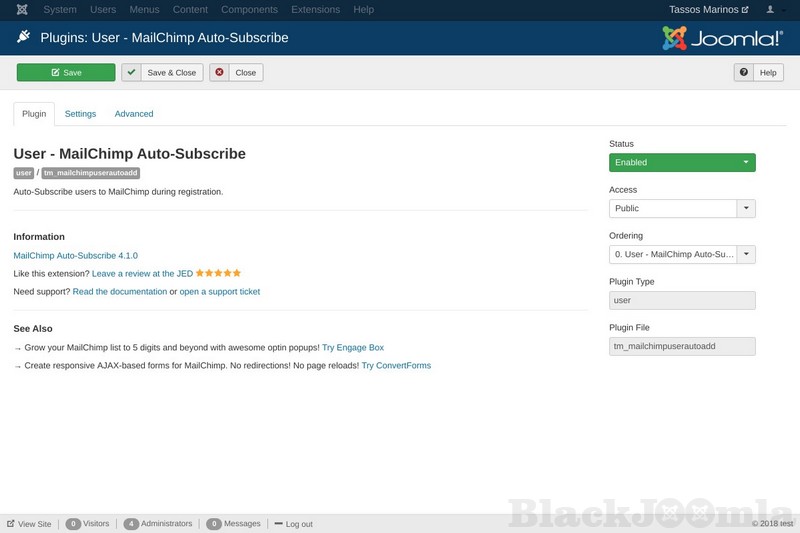
★ Automatically subscribe new users to your MailChimp list during Joomla Registration
★ Subscribe to different list per language
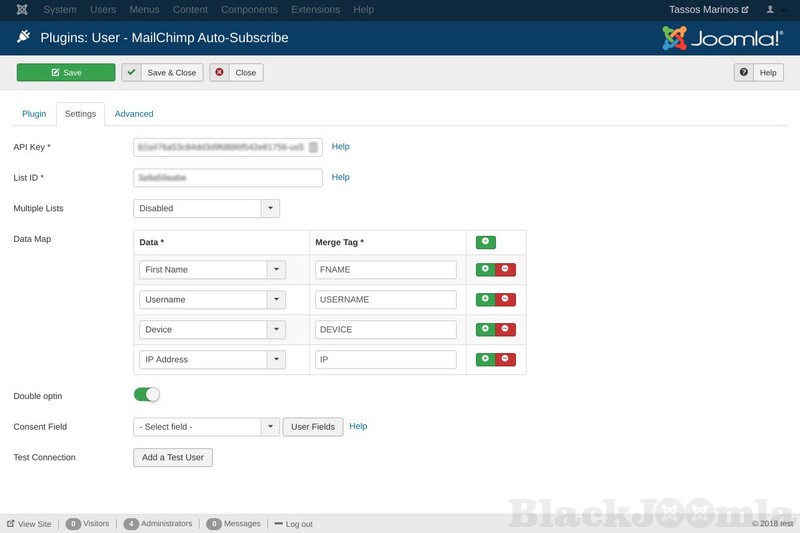
★ Pass any User Profile Data (ID, Name, Email, Login, Groups) to MailChimp Merge Tags
★ Pass any User Custom Field to MailChimp Merge Tags
★ Option to disable MailChimp double opt-in
★ Compatible with JomSocial, HikaShop, J2Store, CommunityBuilder, VirtueMart, J2Store, K2Store, JoomShopping
★ Supports new user registration through back-end
★ One-Click Update
★ No coding needed
★ Instant Support
How to disable MailChimp double opt-in
Go to the settings tab of the MailChimp Auto-Subscribe plugin in the Joomla Plugins Manager. By disabling the Front-End Double Optin option the newly created users will auto-subscribe to your MailChimp list without requiring to confirm their account via the confirmation e-mail.
How to get more subscribers with MailChimp and Joomla!
https://www.tassos.gr/joomla-extensions/mailchimp-auto-subscribe/docs/how-to-get-more-subscribers-with-mailchimp-and-joomla
Combine with Engage Box
Create awesome subscription opt-in popups for MailChimp with Engage Box and boost your subscription list to 5 digits and beyond!
Download
Login to Download
Registration at BlackJoomla is completely free. However, an active membership or an individual file purchase is required to download premium files. Please visit our FAQ for more information.
Note: If you see the warning "The security token did not match." after logging in, simply refresh the page and sign in again.
Get started with 12 free downloads every month!
See our Membership Plans for more details.
Message
Before send message Please study FAQ
All of files compressed by WinRAR - use from Latest WinRAR before install
Password for all files:BlackJoomla.com
Do not use download managers such as IDM or similar software when downloading files. These applications may split a single download into multiple requests, which can cause your download count to be deducted incorrectly.