It can be easily added into existing forms on your Joomla 2.5, 3.x or newer website to provide protection from Spam bots. It can run on almost all web-servers as long as you have PHP installed, and GD support within PHP. SecurImage does everything from generating the CAPTCHA images to validating the typed code. Audible codes can be streamed to the browser with Flash for the vision impaired.
Features:
Works with Joomla Registration and any other extensions that is compatible with Joomla captcha plugin system;
Works with Contact Enhanced, iRecommend, Ajax Recommend and Ajax Contact;
Customizable code length, character sets, and Unicode support;
TTF font support. You can choose the font you want to use;
Very easy to customize colors;
Easily add background images;
Easily add signature to images;
Several security features such as image distortion, random lines, and noise;
Flash button to stream audible codes in WAV format;
Ability to use a word list; Add a word list in your language to /plugins/captcha/securimage/lib/words/
Display alphanumeric captchas, or simple math problems;
Highly customizable!
Screenshots
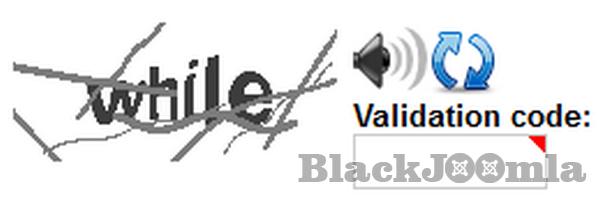
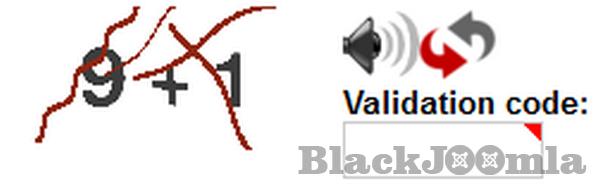
Alphanumeric captchaSecurImage Math Challenge
Online demo: Support Form
Installation
Install the plugin by accessing the administration menu of the back-end under Extensions. Then access Extensions → Plugin Manager, look for Captcha - SecurImage and customize it to your needs. Don't forget to enable it!
The default installation file do not come with the audio files in order to keep the installation file under 2Mb (on some servers files over 2Mb are not uploadable).
Download audio files:
Noise files. Unzip and upload the files to /plugins/captcha/securimage/lib/audio/noise/
Audio: Unzip and upload the files to /plugins/captcha/securimage/lib/audio/
English (en-GB);
Dutch (nl-NL);
Italian (it-IT);
Portuguese (pt-BR);
Usage:
We've tried to make it very simple to use Captcha.
Select Extensions → Plug-in Manager from the drop-down menu of the Joomla! Administrator Panel.
Go to Global Configuration, and select the "Site" tab.
Choose "SecurImage" in your "Default Captcha" field.
Click Save & Close.
Go to your Plugin Manager. You can find this under Extension Manager along the top menu or in the buttons on the main page of your Administrator panel.
Edit the Plug-In "Captcha - SecurImage"
Set Status to "Published"
Change the settings accordingly to your needs. Below is a screenshot of all the available settings;
Download
Login to Download
Registration at BlackJoomla is completely free. However, an active membership or an individual file purchase is required to download premium files. Please visit our FAQ for more information.
Note: If you see the warning "The security token did not match." after logging in, simply refresh the page and sign in again.
Get started with 12 free downloads every month!
See our Membership Plans for more details.
Message
Before send message Please study FAQ
All of files compressed by WinRAR - use from Latest WinRAR before install
Password for all files:BlackJoomla.com
Do not use download managers such as IDM or similar software when downloading files. These applications may split a single download into multiple requests, which can cause your download count to be deducted incorrectly.