The Google fonts are installed locally and the appearance of your website is preserved. The plugin detects which Google fonts your website uses and automatically stores them locally on your web server. The integration of dynamic web content such as Google Fonts from US web services is illegal without the visitors' consent. This was decided by the Munich Regional Court in a ruling (Ref. 3 O 17493/20). Website operators can be sued for injunctive relief and damages.
24 / 7 German Support - Support by phone - Germany - Austria
The Google fonts are installed locally and the appearance of your website is preserved. The plugin detects which Google fonts your website uses and automatically stores them locally on your web server. Your website will become dsgvo compliant.
Compatible with ALL templates and other extensions using google font. The plugin automatically detects all external Google Fonts on Joomla websites and removes them easily and reliably.
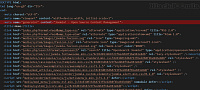
After activating the plugin make sure all links to google font server like(https://fonts.googleapis.com....) are removed from the source code.
This Joomla plugin removes all external references to google fonts and installs them locally.
We assume no liability for further data protection violations.
This plugin stops loading of Google fonts used by Joomla templates and extensions from Google’s servers.
Reasons for not using Google Fonts might be privacy and security.
Remove Google Fonts References is a very lightweight, it has no settings, just activate it and it works immediately.
Download
Login to Download
Registration at BlackJoomla is completely free. However, an active membership or an individual file purchase is required to download premium files. Please visit our FAQ for more information.
Note: If you see the warning "The security token did not match." after logging in, simply refresh the page and sign in again.
Get started with 12 free downloads every month!
See our Membership Plans for more details.
Message
Before send message Please study FAQ
All of files compressed by WinRAR - use from Latest WinRAR before install
Password for all files:BlackJoomla.com
Do not use download managers such as IDM or similar software when downloading files. These applications may split a single download into multiple requests, which can cause your download count to be deducted incorrectly.