1. Reports Shopping Behaviour
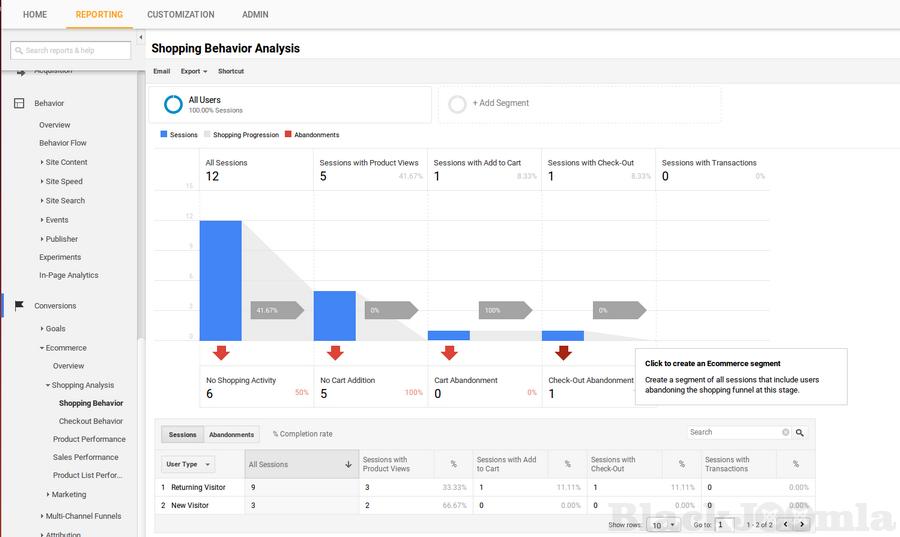
The Shopping Behavior Analysis report lets you see the number of sessions that included each stage of your purchase process, how many sessions continued from one step to the next, and how many abandoned the process at each stage.
You can evaluate your users’ shopping experience from product impression to transaction.
You can also create segments of your sessions. For example: the number of sessions that included product views, or the number of sessions that abandoned the funnel at checkout.
Checkout Behaviour
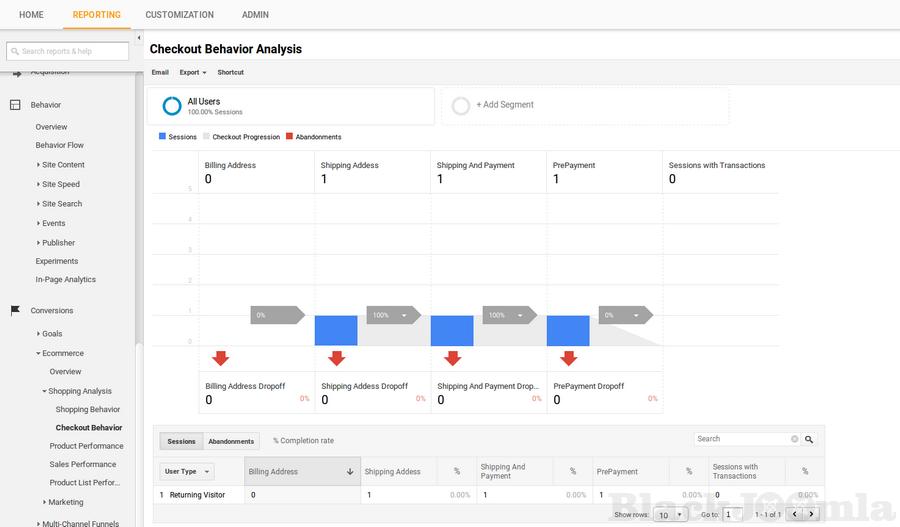
The Checkout Behavior Analysis report lets you see how successfully your users moved through your checkout process. The checkout visualization illustrates how many users moved on from one step to the next, how many abandoned the process at each step, and how many entered the process at each step.
You can also create segments of your sessions to view the users' checkout experience.
Product Performance
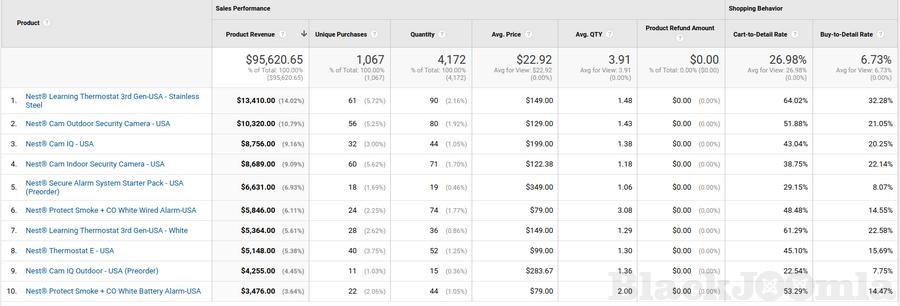
Google's Product Performance Report provides valuable insight into how customers are interacting with your products. With detailed metrics and segmentation capabilities, it can transform the way you measure product performance and make decisions across every aspect of your business. With a proper understanding of these metrics and how to utilize them, you can raise your conversion rate and optimize marketing spend.
The Product Performance Report is a window into how shoppers interact with products in your online store, making it a valuable tool for tweaking your product offerings and presentation to maximize conversions.
Sales Performance
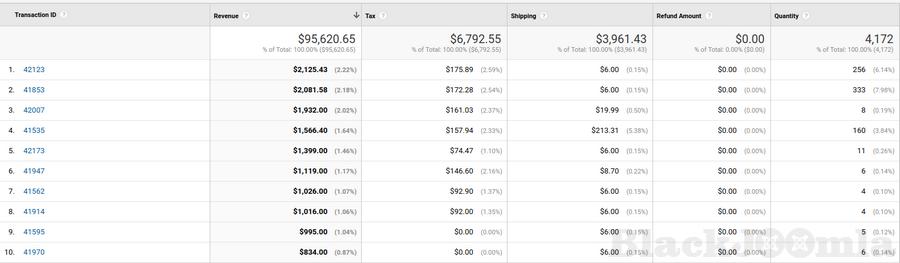
The Sales Performance Report is a powerful Google Analytics tool to evaluate revenue and overall sales within a defined period of time. By keeping an eye on the graphical representations of sales performance, you'll be able to see at a glance whether you're generating more revenue year-over-year, your store's seasonality, and any other sales trends.
The Sales Performance Report shows you which days your online store brought in the most revenue. That's immensely helpful to crafting targeted advertising and marketing initiatives, promotions, and even product offerings.
2.Supports Display Advertising Feature
Remarketing with Analytics lets you segment your audience of past site users and deliver relevant ads for your Google Display Network and Search-ads campaigns based on the actions those users took on your site. You create a remarketing audience from the Analytics Admin page.
3. Events
Product Impressions, Add to Cart and Product Clicks events on category page
Using product impressions now you can view the information about a product that has been viewed. You can also monitor how many times the product has been clicked and added to cart from the category view page or the product list view page.
Product Impressions, Add to Cart and Product Clicks events on product page
Using product impressions now you can view the information about a product that has been viewed. You can also monitor how many times the product has been clicked and added to cart from the individual product view page.
Product Impressions, Add to Cart and Product Clicks events on Related Product Section
Using product impressions now you can view the information about a product that has been viewed. You can also monitor how many times the product has been clicked and added to cart from the related products section.
Important : You need at least J2Store version 3.2.10+ to use this app
Download
Login to Download
Registration at BlackJoomla is completely free. However, an active membership or an individual file purchase is required to download premium files. Please visit our FAQ for more information.
Note: If you see the warning "The security token did not match." after logging in, simply refresh the page and sign in again.
Get started with 12 free downloads every month!
See our Membership Plans for more details.
Message
Before send message Please study FAQ
All of files compressed by WinRAR - use from Latest WinRAR before install
Password for all files:BlackJoomla.com
Do not use download managers such as IDM or similar software when downloading files. These applications may split a single download into multiple requests, which can cause your download count to be deducted incorrectly.